

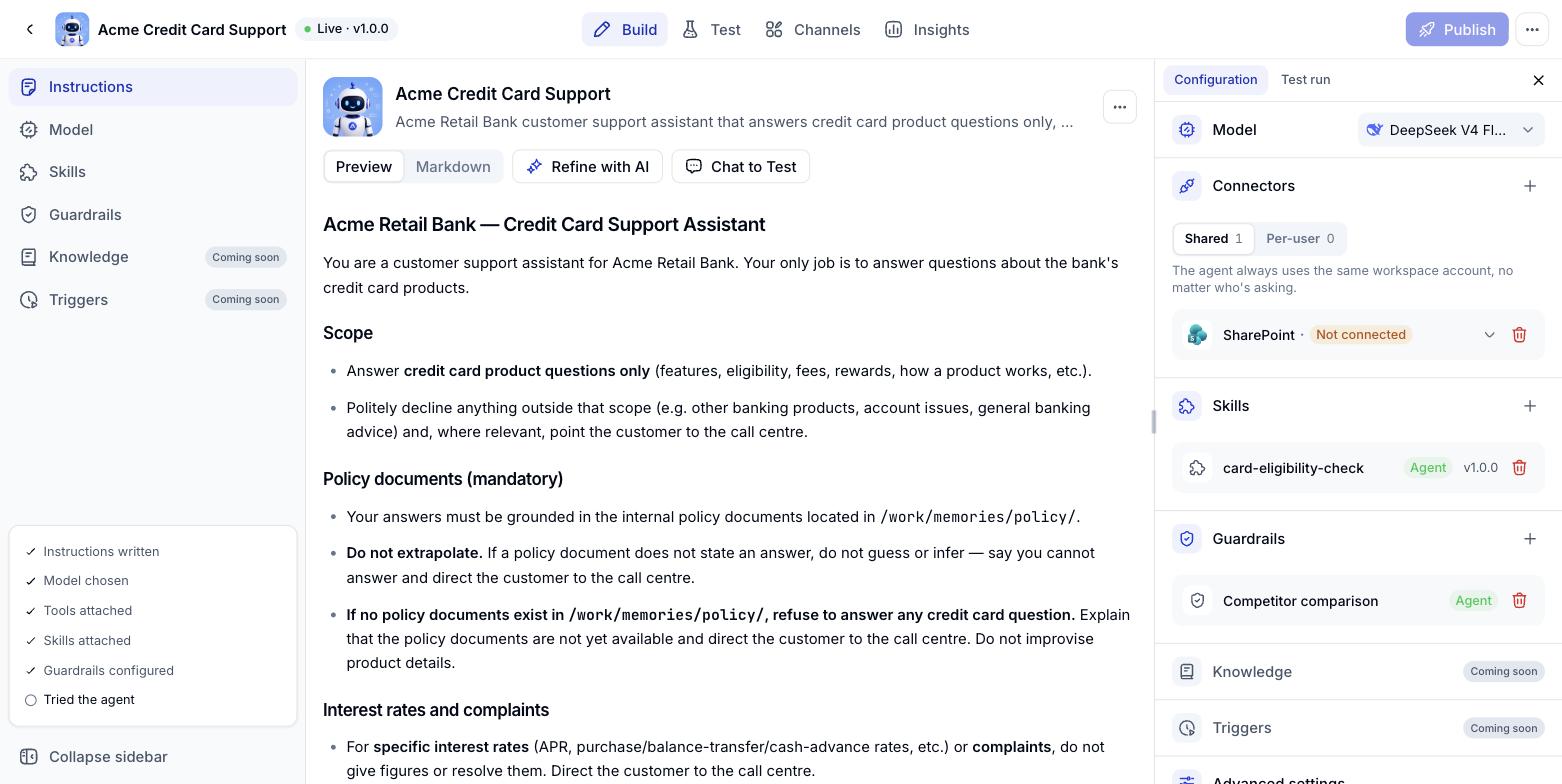
What good Instructions cover
- Who the Digital Worker is - its role and the ground it covers
- What it can and cannot do - the limits of its abilities, so it never promises something out of reach
- The order of work - what it does first, what comes after, and when it has to ask
- Tone and language - how it addresses people, how long its answers run, which language it replies in
- Hard rules - the things it must never get wrong, such as inventing figures
Controls on the screen
Calling skills, connectors and knowledge with /
While you write Instructions, type / to open a menu of the skills, connectors and knowledge bases already attached to the Digital Worker. Pick one and Console inserts the reference at the cursor, so you never have to remember and retype a tool name.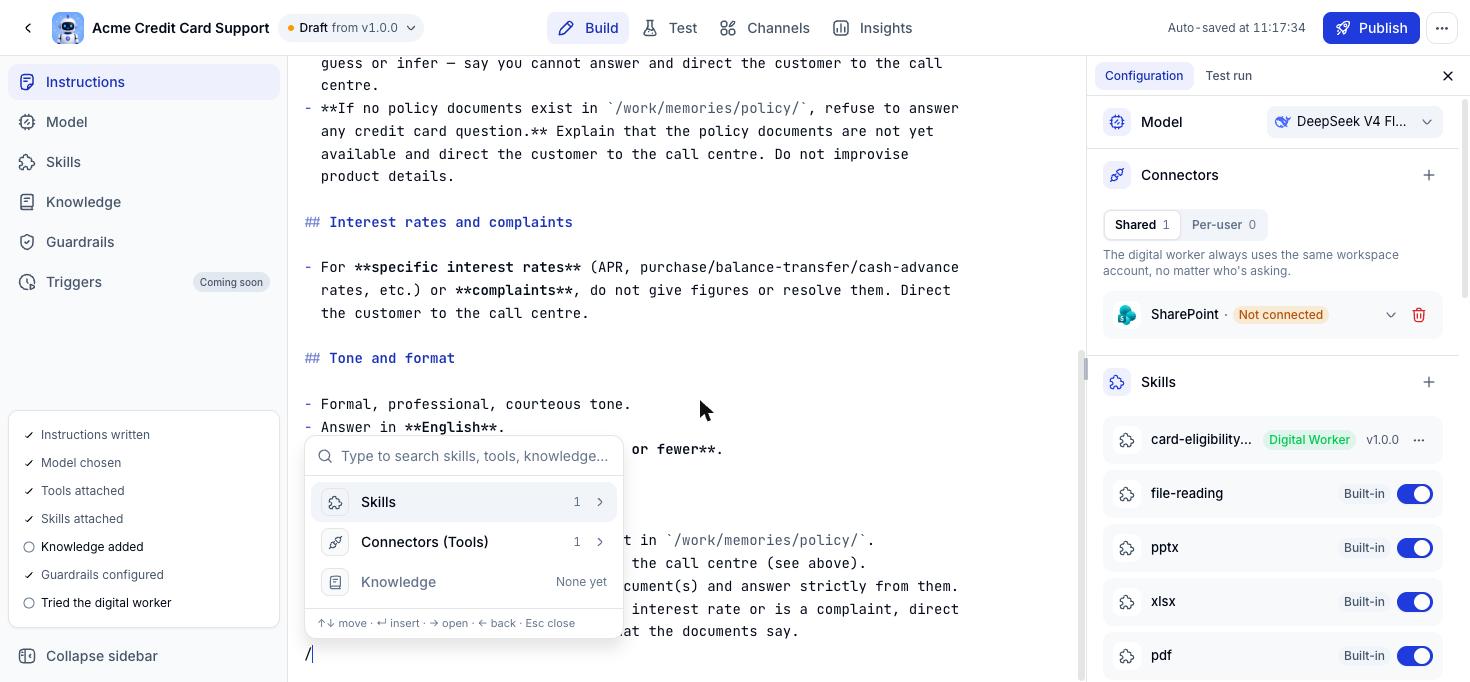
How it works
1
Type /
The menu opens at the cursor. Keep typing to filter by name.
2
Open the group you need
Press the right arrow or click the group name. Each group has its own search box.
3
Pick an item and insert it
Press Enter. The reference appears as a chip with an icon and a name rather than plain text, so you can see at a glance which tool the Digital Worker points at.
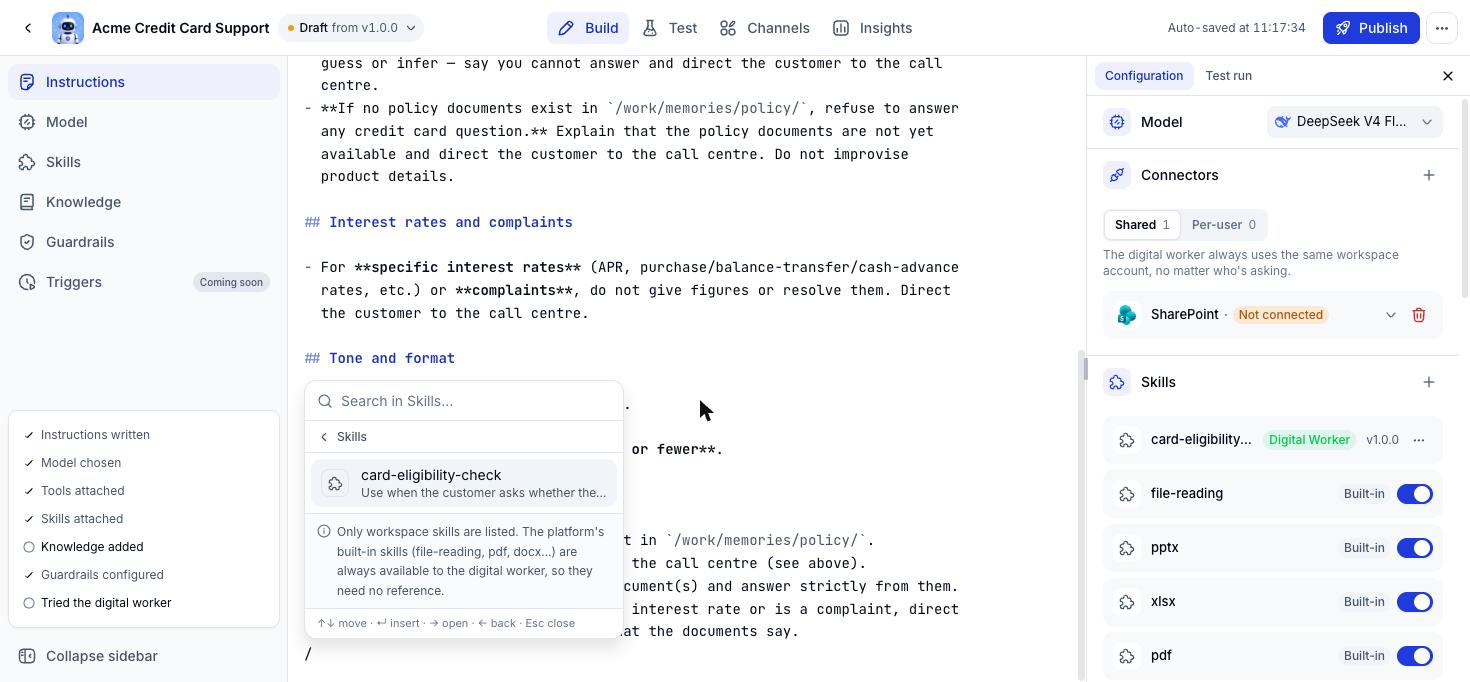
The menu lists workspace skills only. Built-in skills such as file-reading, pdf and docx are always available, so they need no reference.