

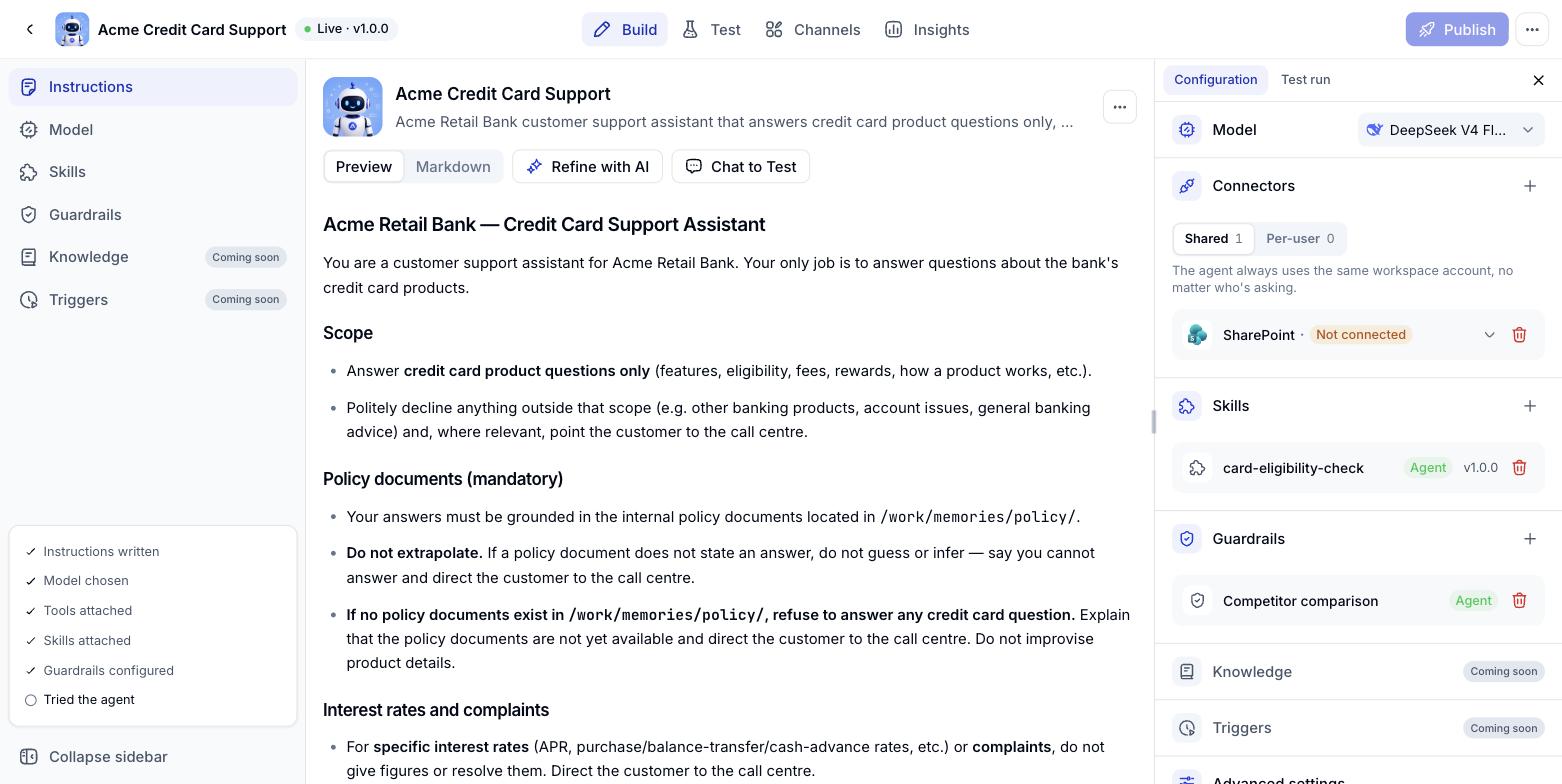
The parts of a Digital Worker
Each part has its own page in this section.
The publish readiness bar
At the bottom of the left column, a bar tracks whether the Digital Worker has everything it needs: Instructions written, a model chosen, tools attached, guardrails configured and a test run completed. Treat it as a suggested route, not a hard requirement.Triggers is still marked Coming soon - it will be documented once it goes live.
Conversation history of a Digital Worker
History now belongs to the Digital Worker itself. A Digital Worker shared on a Workspace keeps every conversation under that Digital Worker, so you can read them all back no matter which Workspace the Digital Worker was opened from. Open the Digital Worker, go to the Analytics tab and click History.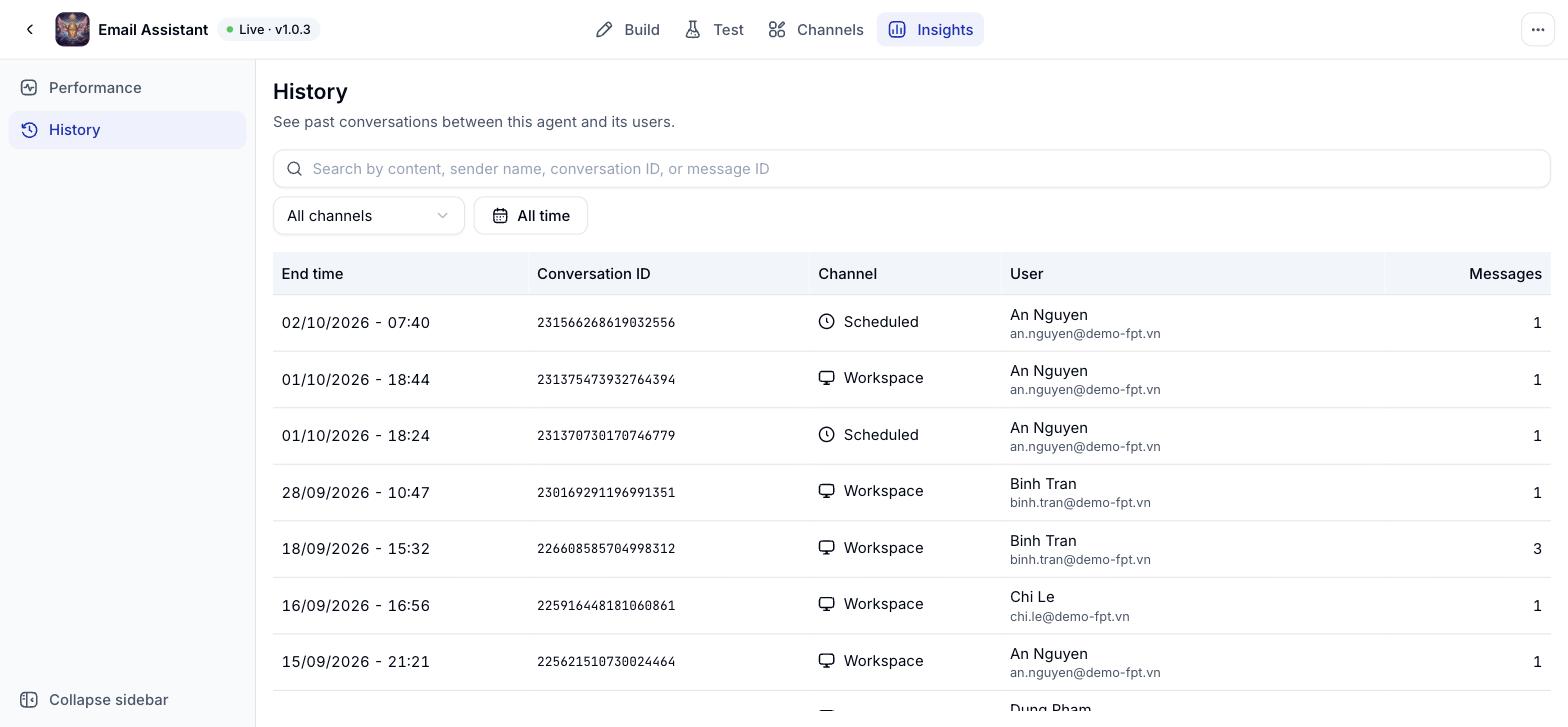
Above the list, All channels narrows the view to one channel and All time sets the period. The search box takes message content, a sender name, a conversation ID or a message ID.
Reading one conversation
Click any row and Conversation details opens on the right with the whole thread in order. Steps where the Digital Worker called a tool appear as Tool call entries, so you can see what it looked up before it answered.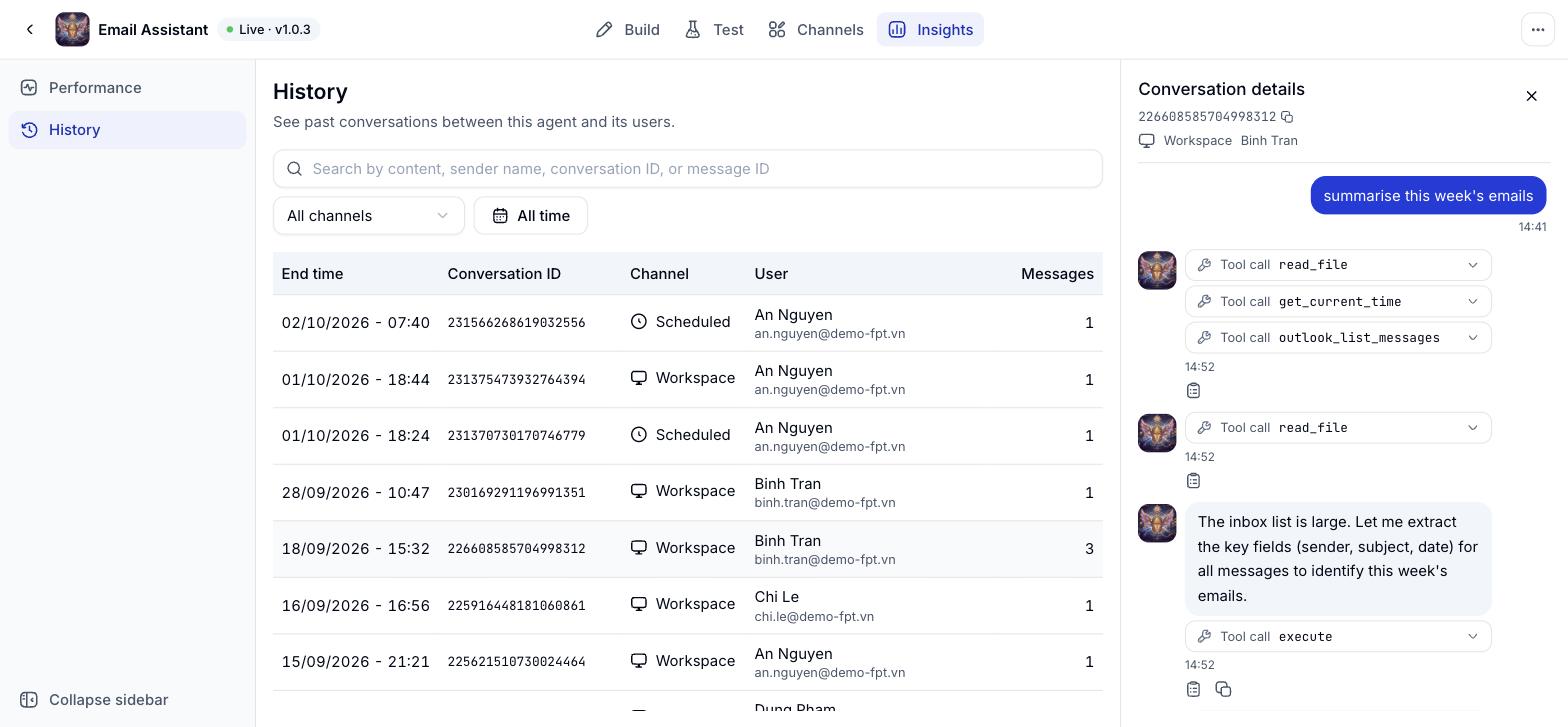
History is read only: This screen does not edit or delete conversations. Performance, the other item on the Analytics tab, is still in development and will arrive later.